
Changing the context window in LM Studio: what it is and why it matters
The term context window describes how much text a language model can consider at once. In LM Studio (often shortened to lmstudio by practitioners), this window governs the maximum input length and the amount of past conversation or documents that influence current text generation. If the token limit is exceeded, important details are truncated, which can derail answers or produce shallow reasoning. Adjusting the window size is therefore one of the most consequential AI settings available to anyone running models locally.
Why change it at all? Teams often juggle large PDFs, extended chat histories, or long source files. A researcher compiling 30-page memos needs more breathing room than a quick chatbot. A developer analyzing a multi-file codebase also benefits from a larger buffer. LM Studio exposes model parameters at load time (e.g., context length) and inference time (e.g., overflow behavior), enabling tailored setups for different workloads. Choosing the right size means balancing speed, cost (in VRAM and RAM), and fidelity of answers.
Consider “Maya,” a data analyst who curates compliance reports. When the window is set too tight, Maya sees citations vanish and references become vague. After increasing the context length in LM Studio, the model retains more footnotes, responds with precise pointers, and maintains consistent terminology across hundreds of lines. The difference is not cosmetic; it changes what the model can know mid-conversation.
Key reasons users raise the limit also include longer function-calling schemas, complex system prompts, and multi-turn chats with attached documents. LM Studio’s configuration lets them tune behavior beyond defaults, but awareness of model-specific maxima is vital. Some models ship with 4k–16k tokens by default; others advertise 128k or more. Actual performance depends on both the model’s training and the runtime approach (e.g., positional encoding and attention strategies).
- 🔧 Expand window size to preserve long instructions and reduce truncation.
- 🧠 Improve multi-document reasoning by keeping more context in memory.
- ⚡ Balance speed versus quality; larger windows can slow generation.
- 🛡️ Use overflow policies to control safety when hitting the token limit.
- 📈 Monitor quality trade-offs when using extended context techniques.
Choosing the right size also depends on the task. For high-precision coding assistance, consider a medium context plus targeted retrieval. For literary analysis or legal review, a large window is useful—if the model truly handles it well. In 2025’s ecosystem, comparisons like ChatGPT versus Perplexity and OpenAI versus Anthropic highlight how model families prioritize long-context reasoning differently. Local runners want the same power, but must configure it wisely.
| Concept ✨ | What it controls 🧭 | Impact on results 📊 |
|---|---|---|
| Context window | Max tokens model can “see” | Retention of instructions and references |
| Window size | Load-time context length | Latency, memory use, coherence |
| Overflow policy | How to behave at the limit | Safety, determinism, or truncation patterns |
| Model parameters | RoPE scaling, kv cache, etc. | Effective max length and stability |
| AI settings | UI configuration in LM Studio | Workflow fit for different tasks |
Bottom line: changing the LM Studio context length is not just a toggle—it’s a strategic choice that decides how much the model can remember and reason over in one pass.

LM Studio controls: overflow policy, sliders, and the “red box” trick
LM Studio offers multiple paths to change the context window. In the UI, a slider and a numeric field govern the configured window size. A quirk reported by community users is a slider capped at 16k for certain quantizations, despite the underlying model metadata supporting more (e.g., 128k). When the slider refuses to go further right, many users simply click the numeric box and type the desired token count. The value may turn red and claim it won’t save—yet it still applies at runtime. That surprising behavior lets advanced users bypass UI friction without custom tooling.
Another critical setting is the Context Overflow Policy. The default “keep system prompt, truncate middle” can break certain memory managers and agents. Switching to Stop at limit ensures the model halts instead of mangling the middle of a structured prompt. Users integrating memory frameworks or tools similar to MemGPT have reported far fewer oddities after choosing “Stop at limit.” It’s a simple fix that preserves structure and prevents silent corruption of important text.
Version nuances matter. Some users observed that, starting with a particular 0.3.24 build, the UI no longer saves context sizes above the advertised maximum, prompting them to either edit hidden config files or temporarily run a previous build that allowed manual values. The key insight is that changing the numeric field frequently updates a runtime parameter, while certain JSON entries are metadata for display and do not affect model conversion. Understanding this distinction avoids needless re-quantization or file juggling.
For teams onboarding to local LLMs, a small playbook reduces missteps. First, verify the model’s documented maximum context. Second, adjust LM Studio’s numeric field to that maximum, even if the slider tops out early. Third, set overflow to “Stop at limit” for structured prompts. Finally, test with a synthetic long document to confirm that content beyond the previous ceiling is now recognized and referenced accurately.
- 🧩 If the slider caps at 16k, type the number directly into the box.
- 🛑 Prefer Stop at limit when you need strict structure.
- 🧪 Validate with a long dummy prompt to prove the change took effect.
- 📂 Treat config.json limits as UI metadata unless docs indicate otherwise.
- 💡 Keep a note of the LM Studio version and changelog for context-length behavior.
Those steps pair well with broader evaluations. For instance, reading feature breakdowns such as Gemini versus ChatGPT and the 2025 ChatGPT review helps frame expectations for long-context performance across ecosystems. Observing where cloud giants emphasize context also guides local tuning.
| Action 🔁 | Where in LM Studio 🖥️ | Why it helps ✅ |
|---|---|---|
| Type context length manually | Numeric field next to slider | Bypasses 16k UI cap 🪄 |
| Set overflow to “Stop at limit” | Inference settings | Prevents mid-prompt truncation 🧱 |
| Check model metadata | Model info panel | Confirms advertised max length 📜 |
| Version check | About or release notes | Explains saving behavior changes 🗂️ |
| Long-prompt test | Chat or compose view | Empirical validation of new window size 🧪 |
For a deeper dive into configuration habits and practical comparisons, video guides on local LLM setup are helpful.

Armed with these controls, teams can confidently nudge LM Studio beyond defaults and protect their prompts from stealthy truncation.
Pushing beyond training limits: RoPE scaling and effective context length
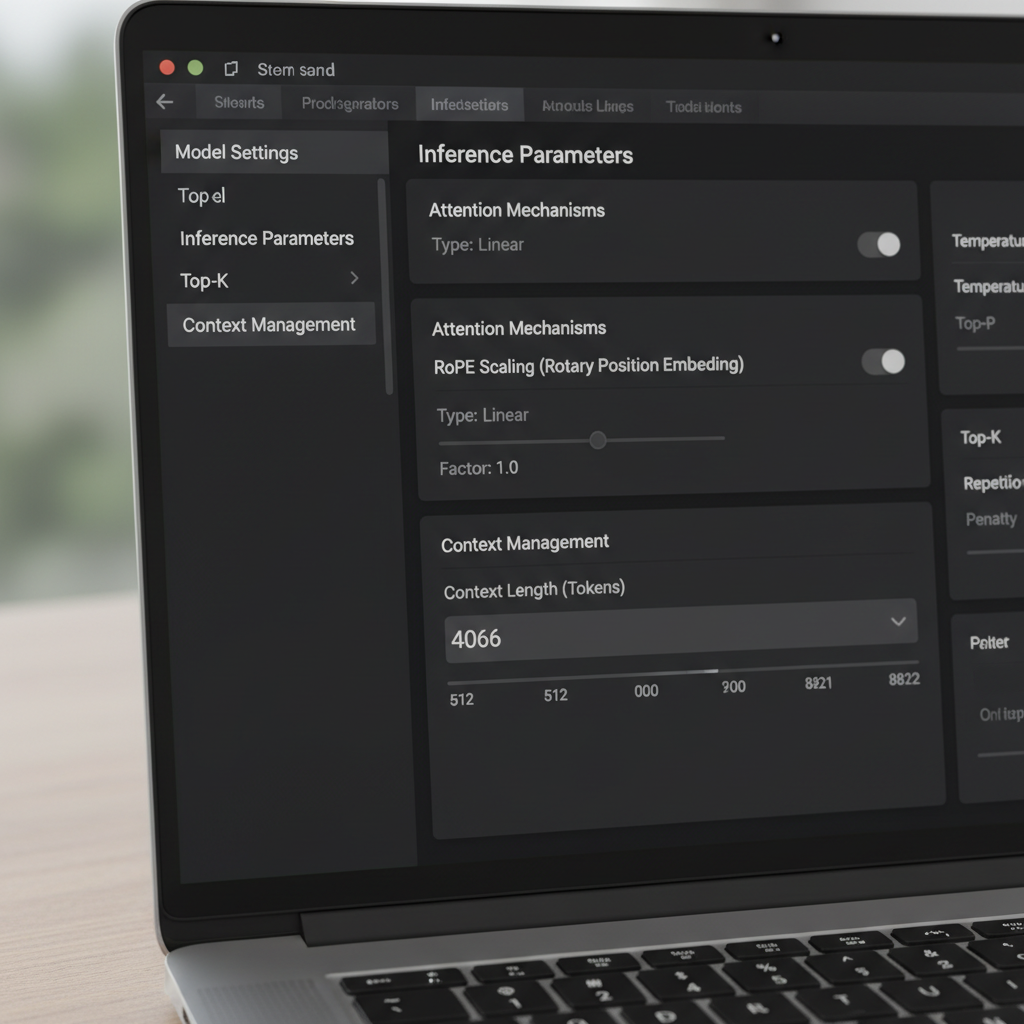
Extending context isn’t only a matter of sliders. Many transformer-based models rely on Rotary Positional Embeddings (RoPE), and LM Studio exposes a load-time parameter that scales positional information. Increasing this factor allows models to attend across longer sequences by making positional encoding more granular. It’s a powerful trick—but not free. As the factor rises, local coherence can degrade, and some models hallucinate more under extreme lengths. Knowing when to use RoPE scaling is as important as knowing how.
LM Studio’s documentation describes how a scaling factor adjusts the effective window. In practice, that means a model trained for 8k can sometimes operate at 16k–32k with tolerable quality loss, depending on architecture and quantization. When users report a GGUF build showing a 16k maximum in the UI but the upstream model promises 128k, it often indicates a metadata mismatch. In those cases, raising the numeric value and validating with a long test conversation clarifies the true ceiling. Community reports also indicate that editing the value—even if the UI highlights it in red—can still apply the desired length at load time.
How far can one go? That hinges on the model family and attention mechanism. Approaches like sliding-window attention and hybrid recurrent/transformer designs tolerate longer contexts differently than plain attention. Interest in alternatives, including state-space approaches, has grown as teams explore longer sequences without ballooning memory. Discussions around state-space models and memory use highlight why long-context isn’t just a number; it’s a stability and architecture question.
Maya’s team used RoPE scaling judiciously for quarterly summaries. At 24k tokens, responses stayed crisp. At 48k, latency grew and summaries sometimes forgot early details, suggesting diminishing returns. They settled on 32k with retrieval augmentation, which preserved quality while avoiding massive slowdowns. The lesson: larger windows should complement retrieval and chunking, not replace them.
- 🧮 Start with modest scaling (e.g., 1.5–2×) before jumping higher.
- 🧭 Combine long context with retrieval so the model sees only relevant slices.
- 📉 Watch for coherence drops at very high token counts.
- 🧰 Keep quantization and VRAM limits in mind when stretching the window.
- 🔍 Validate with domain-specific long tests instead of generic prompts.
Comparative write-ups such as ChatGPT vs. Gemini in 2025 and overviews like milestones in ChatGPT’s evolution offer broader context on how vendors frame the long-context race. Even if the local model differs, the trade-offs echo across the field.
| RoPE scaling choice 🧯 | Pros 🌟 | Cons ⚠️ | Use it when 🎯 |
|---|---|---|---|
| 1.0× (default) | Stable, predictable behavior | Limited max length | Quality-critical tasks ✅ |
| 1.5–2.0× | Noticeably longer context | Slight coherence hit | Reports, light code analysis 📄 |
| 2.5–4.0× | Large multi-doc sessions | Latency, drift risks | Exploratory research 🔬 |
| 4.0×+ | Extreme sequences | Unstable outputs likely | Benchmarks and experiments 🧪 |
The pragmatic insight: RoPE scaling can extend reach, but retrieval and prompt engineering often deliver steadier gains per token.
When the window size won’t budge: troubleshooting long-context issues in LM Studio
Occasionally, LM Studio resists a change. Users have reported a “max 16k” slider for certain quantizations, even though the base model advertises far more. Others saw a newer build prevent saving higher values, nudging them to temporarily use an earlier version or to type values directly despite warning colors. These issues are frustrating but solvable with a systematic checklist.
First, confirm the model’s advertised maximum. Some community cards incorrectly list 16k due to a packaging error, while the actual model supports 128k. Second, try typing the number into the text field; if it turns red yet loads, you’ve bypassed the slider cap. Third, set the overflow policy to “Stop at limit” to prevent garbling a carefully crafted system prompt. Fourth, validate with a long dummy set of paragraphs and ask the model to summarize early, middle, and late sections to prove it has full visibility.
If LM Studio still refuses, consider whether the quantization variant has a hard cap in its metadata. Some GGUF conversions embed a default context that differs from the original model. Because the limit can act as display metadata rather than an enforced ceiling, the text-field approach is often enough; still, watch logs on load to confirm. Also ensure that VRAM is sufficient. Very large windows inflate the key-value cache, leading to slowdowns or out-of-memory errors. If crashes persist, drop the context a bit, use lower precision quantization, or split the task into chunks.
Beyond LM Studio, it’s wise to track how leading models handle long prompts in practice. Analyses like ChatGPT vs. Claude and deeper pieces such as how DeepSeek keeps training affordable inform expectations. Long context is meaningful only if the model uses it faithfully; otherwise, retrieval or better prompt structure may outperform sheer size increases.
- 🧰 If the slider stops at 16k, try the numeric field anyway.
- 🧯 Switch overflow to “Stop at limit” for structured tasks.
- 🧠 Validate early/mid/late comprehension with a synthetic long prompt.
- 🖥️ Watch VRAM; high context multiplies KV cache memory.
- 📜 Check logs on load for the applied context length.
| Symptom 🐞 | Likely cause 🔎 | Fix 🛠️ |
|---|---|---|
| Slider capped at 16k | UI or metadata quirk | Type length in numeric field ➕ |
| Red warning on save | Validation gate, not hard stop | Load to confirm it still applies 🚦 |
| OOM or slowdown | KV cache explosion | Reduce context or use lighter quant 🧮 |
| Lost structure | Middle truncation | Set overflow to “Stop at limit” 🧱 |
| Mismatch with docs | Conversion metadata | Check logs and run a long-prompt test 🔍 |
For visual learners, walkthroughs on long-context testing and benchmarking are invaluable.

With a disciplined checklist, stubborn context limits become a temporary nuisance rather than a blocker.
Picking the right size for local text generation: playbooks, testing, and strategy
There is no universal best window size. The right choice flows from the task, model family, and hardware. A coding assistant benefits from a medium window plus retrieval of the most relevant files. A legal researcher might prioritize a larger window but still lean on chunking to avoid burying the model in irrelevant pages. A podcaster drafting episode summaries for long transcripts can mix a generous context with smart sectioning to maintain coherence.
A practical approach is a “ladder test”: start with the documented max, then step down or up while checking latency and accuracy. Use long, domain-specific inputs and verify that early and late sections are both referenced. If the model seems to forget the beginning at larger sizes, reduce the window or apply RoPE scaling conservatively. Where ultra-long prompts are vital, complement with retrieval so the model sees a curated slice rather than the whole archive.
It also helps to benchmark expectations by reading comparative features like ChatGPT vs. GitHub Copilot and broader industry snapshots such as the “bend time” lawsuit coverage. These references offer context for how different ecosystems treat long inputs and developer workflows. In parallel, guides on operational topics—like mastering API keys—underscore how configuration details cascade into real productivity gains.
- 🪜 Use ladder tests to find the sweet spot for your hardware.
- 📚 Pair long windows with retrieval and chunking for precision.
- ⏱️ Track latency changes as window grows; adjust accordingly.
- 🧭 Prefer “Stop at limit” for brittle, structured prompts.
- 🧪 Validate quality with tasks that mirror real workloads.
| Use case 🎬 | Suggested context 📏 | Overflow policy 🧱 | Notes 🗒️ |
|---|---|---|---|
| Code assistant | 8k–24k | Stop at limit | Pair with file-level retrieval 💼 |
| Legal review | 32k–64k | Stop at limit | Chunk by section; keep citations visible 📖 |
| Podcast transcripts | 16k–48k | Stop at limit | Summarize per segment, then merge 🎙️ |
| Research synthesis | 24k–64k | Stop at limit | RoPE scaling with careful validation 🔬 |
| General chat | 4k–16k | Stop at limit | Archive older turns, retrieve as needed 💬 |
Those playbooks dovetail with practical market perspectives—see analyses like innovation in reasoning systems and a survey of niche AI chatbot apps for how various tools push or limit long-context workflows. The method holds: tune window size to the job, then prove it with tests that mirror reality.
Real-world notes from the community: versions, metadata, and safe practices
Community feedback has crystallized several truths about changing the context window in LM Studio. One recurring thread describes a “Q4KM shows a maximum of 16k” scenario that turned out to be a metadata issue rather than a hard limit. Another notes the UI’s numeric box accepts values beyond the slider, even when marked in red, and that these values apply at load time. Users also confirm that the context length in some configs affects display more than conversion, which explains why edits seemingly do nothing yet the runtime length changes.
Version behavior deserves attention. A certain 0.3.24 build tightened the UI’s saving behavior for values above the max, which led some users to roll back to a prior build that allowed manual entries. Regardless of version, the most robust practice is to type the target value, set overflow to “Stop at limit,” and validate with long inputs. When in doubt, rely on logs, not the slider. Clarity on what is metadata versus an enforced limit saves hours.
Hardware and planning matter too. Very large windows expand the KV cache and slow down responses. For sustained work, either lower the context or combine moderate context with retrieval. Strategic guidance articles—such as NVIDIA’s role in scaling AI infrastructure—remind teams that performance tuning is an end-to-end exercise. For hands-on practitioners, lists like common error codes offer a practical cross-check when troubleshooting.
Finally, it helps to benchmark assumptions against broader comparisons. Reading how ChatGPT stacks up against Perplexity or scanning regional access trends grounds expectations for long-context usage patterns beyond a single tool. While LM Studio gives granular control locally, habits imported from cloud models sometimes need adjustment to match local hardware and quantization realities.
- 📌 Treat “16k max” UI caps as suspects; confirm with logs and tests.
- 🧭 Prefer typed numeric entries over sliders if they disagree.
- 🧱 Use “Stop at limit” to protect structured prompts and agents.
- 🧮 Watch VRAM and quantization; long windows can be expensive.
- 🧪 Validate with task-specific, long, and realistic inputs.
| Community insight 🗣️ | What it means 💡 | Actionable step 🚀 |
|---|---|---|
| Slider caps early | Likely UI/metadata mismatch | Enter value manually, then test 📏 |
| Red box still works | Validation warning, not enforcement | Load the model and check logs 🚦 |
| Config vs. conversion | Some entries are metadata only | Don’t re-convert; adjust runtime 🧰 |
| Version variability | Behavior changed across builds | Keep a stable installer handy 🗃️ |
| Long-context costs | KV cache grows with tokens | Right-size the window, use retrieval 🧠 |
For broader perspective, comparisons like OpenAI vs. Anthropic and editorial overviews such as strategic talent choices in tech frame why configuration fluency is as important as model choice. The enduring takeaway: verify, test, and document the settings that actually move the needle for your workload.
Can the context window be increased beyond the slider cap in LM Studio?
Yes. Click the numeric field next to the slider and type the desired token count. Even if the box turns red, LM Studio frequently applies the value at load time. Confirm by checking logs and testing with a long prompt.
Which overflow policy is safest for structured prompts?
Stop at limit. It prevents mid-prompt truncation, protecting system prompts, function schemas, and tool formats. This setting is particularly useful for agent-style workflows and memory-heavy sessions.
Does RoPE scaling guarantee good long-context performance?
No. RoPE scaling can extend effective context but may reduce coherence at very high lengths. Use modest scaling, validate with real tasks, and combine with retrieval for reliable results.
Why do some models show 16k max when the card says 128k?
That mismatch often reflects metadata in the conversion package. Try entering a higher value manually and validate the applied length at runtime; treat the slider as advisory, not authoritative.
How to choose the right window size for local text generation?
Use ladder tests: start with the documented max, observe latency and quality, then adjust. Pair moderate windows with retrieval and set overflow to Stop at limit for structured work.

Jordan has a knack for turning dense whitepapers into compelling stories. Whether he’s testing a new OpenAI release or interviewing industry insiders, his energy jumps off the page—and makes complex tech feel fresh and relevant.

Comments are closed