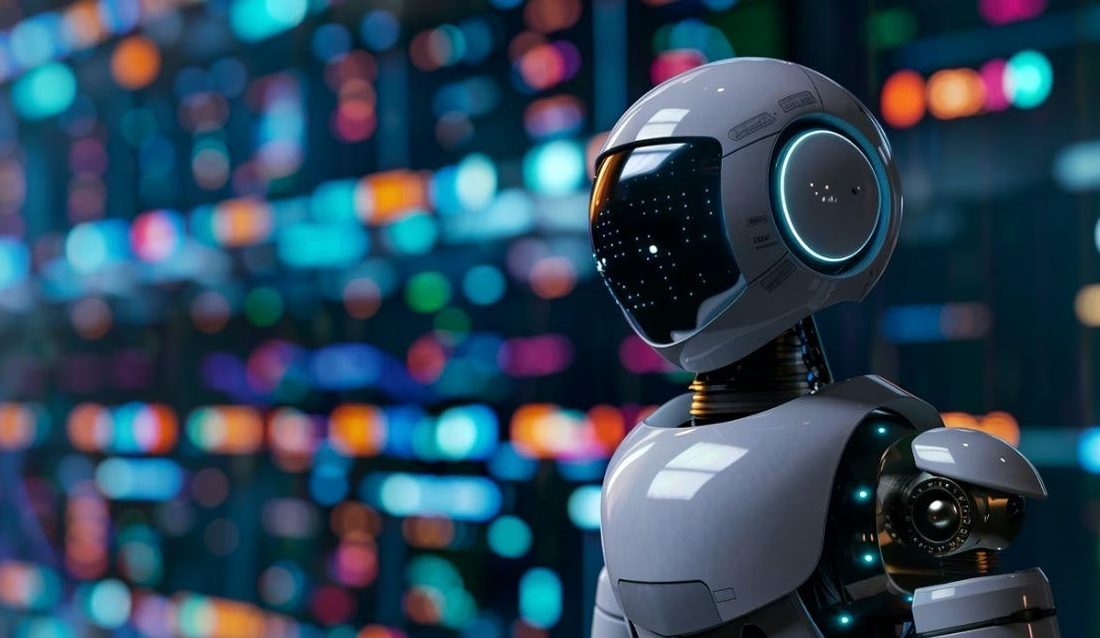

Humane AI and the “human connection” promise in everyday computing
“Humane AI” has become shorthand for a specific bet: that computing should feel less like a device and more like a natural extension of attention, memory, and presence. In the last few years, that bet has split into two camps. One camp keeps putting smarter models inside familiar rectangles. The other tries to make the computer fade into the background. Humane’s Ai Pin sits squarely in the second camp, positioning itself as a wearable, screenless assistant that stays ready without keeping your eyes locked on a phone.
The pitch lands because the pain is real. Teams shipping software in 2026 see the same pattern in user research: constant notifications fragment attention, meetings drift toward “phone-down” norms, and “quick checks” turn into ten-minute scrolls. Humane’s framing—computing that is “screenless” and “sensing”—tries to meet that pain head-on by shifting interaction from taps and swipes to short voice turns, quick gestures, and glanceable projection.
Humane’s origins matter because they shape expectations. The company was founded by former Apple leaders: Imran Chaudhri, who worked on touch-first interfaces, and Bethany Bongiorno, who managed iOS and macOS programs. Add a roster of ex-Apple talent, and the product naturally invites comparison to Cupertino’s design values. Even small branding cues—like the lowercase “i” and a lightbar reminiscent of older Apple iconography—signal “consumer-grade polish” rather than a scrappy dev kit. That signaling raises the bar: a calm, invisible computer must still be dependable under stress.
The Ai Pin concept was teased publicly in a TED setting before wider availability, and the core hardware story has stayed consistent: an “advanced Snapdragon” platform, microphones designed for always-ready capture, at least one camera, a speaker for responses, and a small projector that can cast basic UI elements onto a user’s palm. The “project-to-palm” idea is not new in research, but it becomes meaningful when paired with on-device sensing and a cloud model that can keep context across turns. In practical terms, it tries to answer: can a wearable handle a phone’s daily tasks without pulling attention away from the room?
A useful way to think about “Humane AI” is as a behavior change product first and a gadget second. It asks you to stop performing micro-rituals: unlock, open, search, scroll, close. Instead, it asks you to speak in short prompts and accept short replies. That sounds easy until real life shows up. Voice is awkward in elevators. Projection is tricky in sunlight. Always-on listening creates immediate privacy questions. The point is not that these issues are fatal; it is that “humane” is a claim that must survive messy environments, not just demos.
Consider a fictional but realistic scenario inside a mid-size startup, LumenField, where the product team spends half the day in Slack, docs, and meetings. A founder wants fewer phone checks during customer calls. A wearable assistant seems appealing: summarize the last email thread, remind about an SLA detail, translate a sentence for an overseas partner, then disappear. If that flow works without fiddling, it supports the “human connection” angle. If it requires constant corrections, it becomes another attention sink—just closer to your body.
From a broader lens, Humane’s “contextual computing” positioning reads like a rebuttal to headset-centric “spatial computing.” Headsets can be great at immersion, but they also place a screen between you and everyone else. Humane’s wearable story argues that the best computer is often the one you barely notice. For professionals making deployment decisions, the key question becomes: where does ambient intelligence make sense, and where does it create risk? That leads directly to interaction design and reliability.
Insight: Humane AI only earns the “human connection” label if it reduces interaction cost in the places where attention matters most—work conversations, family time, and quick errands—without shifting the burden into privacy tradeoffs.
Humane Ai Pin user experience: screenless interfaces, palm projection, and voice-first control
Screenless design sounds simple until it meets the realities of human factors. The Ai Pin’s approach combines three channels: voice input, audio output, and projection to the palm for quick visual checks. Each channel has strengths and failure modes. A humane system does not pretend those failures won’t happen; it builds graceful exits so you stay in control.
Voice works best for short commands and “good enough” answers. It struggles in noisy settings, in shared spaces where privacy matters, and in tasks that need precision. A product lead reviewing a pricing sheet may not want to speak numbers out loud in an airport lounge. The Ai Pin’s promise, then, hinges on context awareness: it should detect environmental noise, infer whether speech is appropriate, and nudge you toward alternatives—like a discreet projection or a paired device—without forcing a hard stop.
The palm projector is clever because it targets “glance” moments. A phone call preview, a calendar reminder, a navigation arrow—these are often more usable as visuals than as spoken output. But projection has constraints: direct sunlight washes out images, skin tone and texture change contrast, and motion blur appears when you move. In practice, projection is most reliable indoors or in shade, which shapes where “screenless” is realistic. A humane interface admits that constraint rather than overselling it.
Always-on microphones and camera sensing raise a different kind of UX issue: social comfort. People have learned to interpret phones as “maybe recording,” but a chest-worn camera changes the vibe. Humane’s design tries to make sensing legible through light signals, yet social norms evolve slowly. In LumenField’s office, an engineer might accept a wearable during solo work, but remove it in a sensitive meeting. A humane device must make these transitions simple, with clear states and fast toggles.
For teams evaluating products like this, it helps to map tasks to interaction types. A screenless assistant can excel at lightweight, high-frequency actions: setting timers, capturing quick notes, summarizing messages, translating phrases, and answering factual questions. It will struggle with dense, visual tasks: editing spreadsheets, comparing designs, reading long documents, or reviewing code diffs. If a vendor suggests otherwise, that is a sign to push for real demos on real workflows.
Practical workflow examples for professionals
In customer support, a wearable assistant can reduce “hold music time.” A rep hears a question, asks for the customer’s last ticket summary, then replies without opening a laptop window. The human connection improves because the rep maintains conversational rhythm. Yet that only works if retrieval is accurate and fast. If the model hallucinates ticket details, trust collapses in a day.
In field service, a technician with gloved hands may benefit from voice-driven steps and quick projected prompts. This is where “screenless” makes concrete sense. But the device must handle harsh audio environments and poor connectivity. A humane design would cache procedural steps and use on-device inference for basic commands when the network drops.
In journalism, a reporter can use a wearable to capture quotes, tag names, and draft a short outline while walking between interviews. That reduces the urge to stare at a phone. It also creates risk if recording is unclear. Humane UX should make consent behaviors obvious: audible beeps, visible indicators, and simple logs that show what was captured.
Key evaluation checklist before deploying a screenless assistant
- 🧭 Context detection: Does it adapt to noise, motion, and location without wrong guesses?
- 🔒 Privacy controls: Are mute/disable states fast, obvious, and verifiable?
- ⚡ Latency: Are answers quick enough to keep conversation flow?
- 🗣️ Speech accuracy: Does it handle accents, jargon, and names in your domain?
- 🌞 Projection limits: Is palm display usable in the environments your team works in?
- 🧾 Auditability: Can you review what it heard, stored, or sent?
For decision-makers, the takeaway is that “screenless” is not a binary. It is a spectrum of attention-light interaction that must be matched to the job. Once that mapping is clear, the next questions turn to platform design and the business reality of replacing a phone.
Insight: The most humane interface is the one that knows when to stay quiet—because silence can be a feature, not a bug. 🤫
Post-smartphone computing claims vs reality: what Humane AI must beat to replace your phone
Replacing the smartphone is less about hardware ambition and more about ecosystem gravity. Your phone is a security token, a camera, a map, a wallet, and a social device. It also has decades of muscle memory baked into users. For Humane AI to feel like “computing with a human connection,” it has to reduce dependence on the phone without asking you to surrender essentials. That sets a high bar that can be measured in boring, practical terms.
Start with identity. Phones now anchor passkeys, two-factor authentication, device attestation, and enterprise MDM policies. A wearable that aims to stand in for a phone needs a credible identity stack: secure enclave-grade hardware, biometric or strong presence checks, and a clear story for lost-device recovery. If the product can’t handle secure sign-in flows, it remains an accessory rather than a replacement.
Then there’s the camera. A wearable camera can capture “life moments” fast, but phone cameras are your default for quality photos, scans, and video calls. Humane’s pin-sized form factor implies smaller sensors and tighter thermal limits. That is fine if the goal is “good enough” capture for reference and memory. It is not fine if marketing implies parity with the phone you already own. A humane pitch stays honest: the wearable is a front-of-mind assistant, while the phone remains your high-resolution tool.
Battery and connectivity are the silent dealbreakers. “Always-on” listening and sensing drains power. If users start babysitting battery levels, the device adds friction rather than removing it. Some patents and concepts around inductive or magnetically attached battery modules hint at ways to extend runtime through swappable power. That can work if swaps are simple and the modules are affordable. In LumenField’s pilot, a salesperson who has to recharge midday will abandon the wearable by week two.
Another practical test is error recovery. Phones are forgiving: if voice dictation fails, you type. If a map route looks wrong, you zoom and check. A screenless device must build recovery into the flow: repeat-back confirmations, compact projected summaries, and easy “cancel” gestures. Humane AI wins trust when it makes it easy to correct the system without escalating effort.
There is also the question of “ambient computing” versus “ambient distraction.” Always-ready assistants can turn into constant interruptions if the notification model is not disciplined. Humane’s theory—push tech into the background—depends on a strict prioritization layer that respects time, location, and social context. Engineers will recognize this as a policy engine problem: event ingestion, scoring, user preferences, and safe defaults. A humane system defaults to fewer interruptions, then earns permission for more.
A grounded comparison table: phone vs Humane-style wearable in daily work
| Task area | Smartphone baseline 📱 | Humane-style Ai Pin approach 📌 | What you should test 🧪 |
|---|---|---|---|
| Authentication | Passkeys, biometrics, MDM, recovery flows | Needs secure hardware + clear recovery path | Lost device drill, enterprise policy fit 🔐 |
| Messaging triage | Fast scanning, rich previews, search | Summaries + spoken highlights + quick replies | Hallucination rate on threads, latency ⏱️ |
| Navigation | High-detail maps, rerouting visuals | Audio guidance + minimal projected cues | Outdoor projection usability, reroute clarity 🧭 |
| Capture | High-quality photo/video, scanning, sharing | Quick reference capture, context tagging | Consent signals, storage defaults, quality 📷 |
| Payments | Wallet NFC with broad acceptance | Hard without deep platform integration | Real-world acceptance, fallback options 💳 |
The investor story around Humane—hundreds of millions raised and high-profile backers from the AI and enterprise worlds—signals confidence, but it does not change physics or platform lock-in. The product must earn its place through daily reliability and clear value. For most professionals, the near-term “post-smartphone” reality is not replacement; it is selective offloading of tasks that do not need a screen.
The next layer is where this gets complicated: privacy, law, and social trust. A device worn on the body changes the stakes, even if the feature list looks familiar.
Insight: If a wearable cannot replace your phone, it can still reclaim your attention—so long as it is honest about what stays on the phone. ✅
Watching early stage demos with a skeptical eye helps. Focus on latency, corrections, and how the device behaves when the speaker pauses or changes intent mid-sentence.
Humane AI, trust, and safety: always-on sensors, privacy design, and social acceptance
Humane AI lives or dies on trust because it sits closer to your body than a phone. An always-ready microphone and camera can be helpful, but they also create a surveillance-shaped fear. The best path forward is not hand-waving. It is clear privacy design that users can verify, plus policies that make sense in workplaces and public spaces.
Start with the obvious: legible recording states. If a device can capture audio or video, people nearby need signals they can interpret at a glance. A small lightbar can help, but only if the meaning is consistent and hard to spoof. In many offices, that should be paired with etiquette rules, just like laptops in meetings. A humane product team would publish the state machine: what “idle” means, what “listening” means, what triggers storage, and what gets uploaded.
Next is data handling. Always-on does not have to mean “always sending.” A safer architecture keeps wake-word detection and basic intent parsing local, then escalates to cloud calls only when needed. For business users, the question is where prompts and transcripts go: are they retained, for how long, and can they be excluded from model training? In 2026, many buyers will require explicit contractual controls, plus admin tooling to enforce them. A humane AI story respects that procurement reality.
Social acceptance is trickier than privacy settings because it is cultural. Glass-style wearables taught the industry a lesson: even if a device is technically compliant, people may still react badly. A chest-worn camera changes how strangers behave. It can also create conflicts with venue policies, union rules, and local laws. Humane computing that values “human connection” must treat consent as a first-class feature, not a footnote.
LumenField’s leadership runs a pilot in three contexts: internal meetings, customer calls, and travel days. Internal meetings go smoothly once the company sets a rule: pins muted by default, enabled only for note-taking with explicit announcement. Customer calls vary; some customers like faster responses, others dislike the idea of an AI “in the room.” Travel days expose the hardest moments: airport security, loud terminals, and tight spaces where voice use feels intrusive. The outcome is not “good” or “bad.” It is a clear map of where the wearable fits without friction.
How to write a workplace policy for Humane-style wearables
A policy does not need to be long, but it should be concrete. It should define where devices are banned, where they are allowed, and how logs are handled. It should also name who can approve exceptions. The point is to prevent ad hoc behavior that erodes trust between colleagues.
- 🏢 Meeting rooms: muted by default; recording only with verbal consent at the start.
- 🧑⚖️ Legal/HR sessions: no wearables, no exceptions.
- ☎️ Customer calls: disclose AI assistance; keep transcripts off by default unless requested.
- ✈️ Public travel: discourage voice prompts; prefer silent modes and projection where appropriate.
- 🗂️ Retention: set transcript expiry; require audit logs for enterprise accounts.
Security teams will also ask about adversarial risks: prompt injection through nearby speech, malicious audio that triggers actions, or “shoulder surfing” via projection. Humane design can reduce these risks with confirmations for sensitive actions, speaker recognition, and limits on what can be done hands-free. If the assistant can send money or approve access, it must require stronger checks than a casual voice command.
Finally, there’s the human side: some users will feel anxious wearing an always-ready device. Others will feel excluded if they cannot use it due to disability, accent bias, or sensory issues. Humane AI should include inclusive design testing: speech recognition across accents, non-voice controls, and clear accessibility modes.
Insight: Trust is built when the device makes its sensing obvious, keeps data local when possible, and gives you fast ways to shut it down. 🔒
Reviews that include real-world discomfort—noise, awkwardness, and failure cases—are often more useful than polished demos. Pay attention to how quickly the device recovers from mishearing and how it signals recording states.
Building humane AI systems beyond the pin: human-AI interaction lessons for product teams
Even if a specific wearable does not become the next smartphone, the design lessons matter. Humane AI is less about a single gadget and more about a set of principles product teams can apply across apps, laptops, cars, and enterprise tools. Research in human-AI interaction has converged on a few pragmatic ideas: users need predictability, control, and recourse when the system is wrong.
Predictability means you can form a mental model. If an assistant sometimes summarizes emails and other times refuses without explaining why, people stop using it. A humane system communicates constraints in plain language: “This looks like confidential content; summarization is disabled in this workspace.” It also maintains consistent command patterns so users do not have to memorize novelty gestures.
Control means adjustable behavior without a settings maze. For a wearable assistant, control should be accessible in seconds: mute, pause sensing, delete the last capture, and switch modes. In enterprise deployments, control extends to admins: policy templates, workspace boundaries, and exportable audit logs. Humane AI is not a vibe; it is operational clarity.
Recourse means you can fix mistakes and understand what happened. When an assistant drafts a reply with the wrong tone, you need a quick edit path. When it retrieves the wrong doc, you need to see the source and correct it. This is where citations and provenance matter. The magazine-style promise of citing primary sources has an analog in product design: an assistant should point to the email, ticket, or document that informed its answer.
Design patterns that translate well to “human connection” computing
One pattern is “quiet defaults.” The assistant should wait until asked, then respond briefly. Another is “two-step actions” for anything irreversible: “I can send this message to the customer. Say ‘send’ to confirm.” That may feel slower, but it prevents disasters in public settings.
A third pattern is “attention budgeting.” Instead of pushing every notification, the system groups low-importance items into a digest. For a wearable, that digest can appear as a short spoken summary during a natural break, like after a meeting ends. This is where contextual computing can shine, if it respects boundaries.
LumenField applies these patterns to its internal tools, even without a pin. The team adds citation links to AI-generated incident summaries. They add “confirm” steps to any action that changes a production flag. They also create a weekly digest bot that posts to Slack at a chosen time, reducing the impulse to check constantly. The result feels more humane because it protects attention and reduces anxiety about missing something.
How to evaluate Humane AI claims during procurement
Procurement in 2026 is increasingly about model governance. Vendors may promise that user data is not used for training, but the contract language matters. Ask for retention windows, deletion SLAs, and how the system handles subpoenas and legal holds. Ask what runs on-device versus in the cloud. Ask whether the device can operate in a reduced mode when offline. Then test those claims during a pilot with real subscriptions and real logs.
For hardware-driven AI, supply chain and support also matter. If a wearable breaks, can it be replaced quickly? Are firmware updates signed and transparent? Is there a public changelog? A humane vendor publishes fixes in the open and does not hide behind vague release notes.
Most of all, keep the evaluation tied to the “human connection” outcome. Does this system help you pay attention to the person in front of you? Does it reduce context switching? Does it make errors easy to spot? A pin on a lapel is only one expression of that idea. The deeper story is how AI products can respect your time and your relationships.
Insight: Humane AI is a product discipline: protect attention, make behavior predictable, and keep humans in charge of the final step. 🧠

I’m a Brooklyn tech journalist who spent a decade covering software, cloud and developer tooling. I started this magazine in 2023 to cover generative AI without the hype or the cynicism: testing tools on my own subscriptions and citing primary sources.